Overshoot desktop app
Your CS2 matches, analysed on your own PC. Overshoot finds your replays, reads every fight, and pulls out your best moments.
First run: Windows may say “unknown publisher” while the app is new. Click More info then Run anyway.
Optional: sign in with Steam to see your tracked matches in the app too.
The Windows app is in final testing. Start now: connect your match history and every new match is collected from today, ready for when the app lands. No sign-in needed.
Or get an email the day the app is out.
What it does
Highlights New
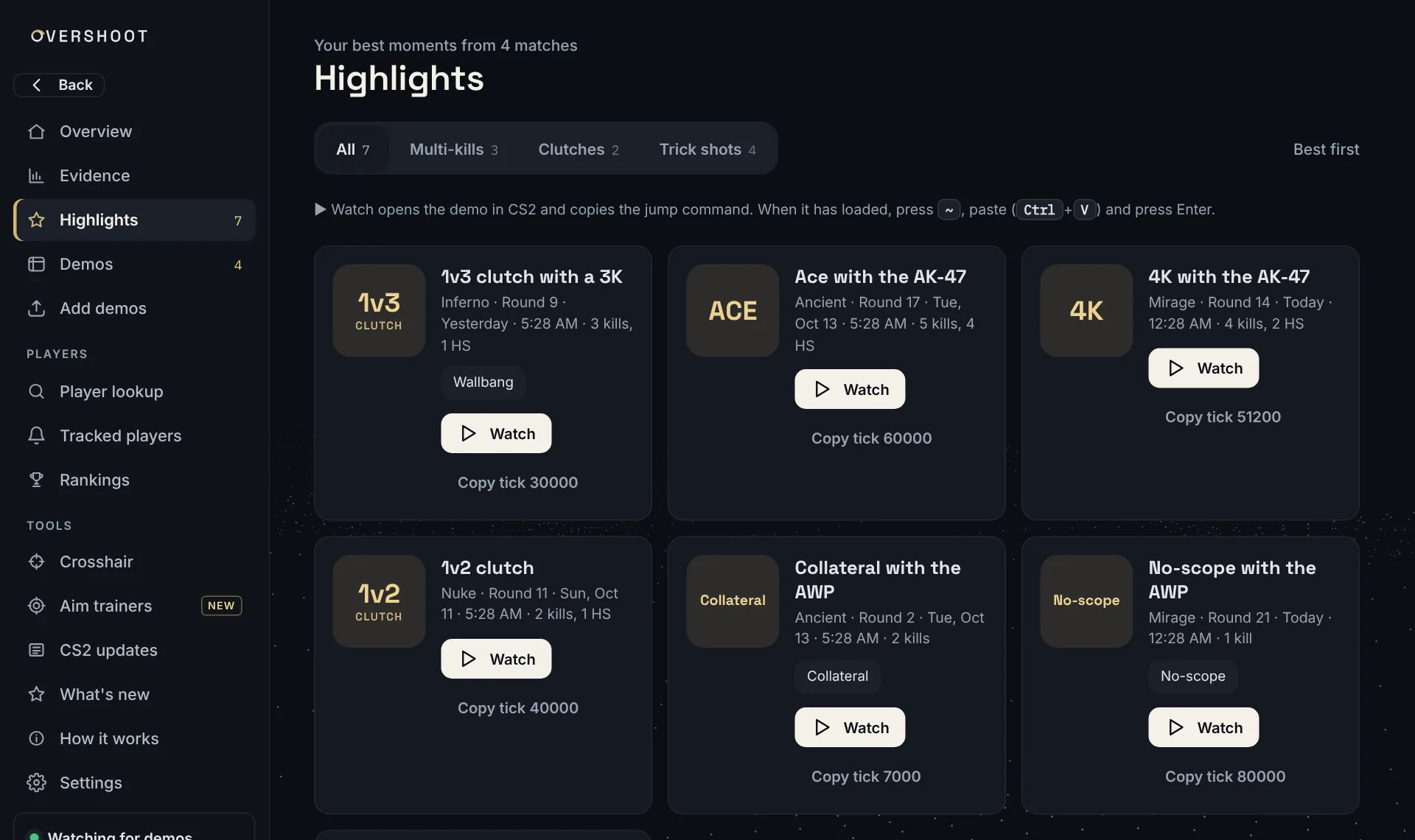
Aces, 4Ks, won clutches and trick shots from every demo, best first.
Watch in CS2
One click opens the demo in CS2 at the moment, ready to replay.
Match Breakdown New
Every new match saved as a round-by-round play-by-play on your profile, long after Valve deletes the demo. Only you can see it.
Automatic
New matches in your replays folder are analysed as soon as they appear.
Stays on your PC
Analysis runs locally. Your demo files are never uploaded; only a short text breakdown of your own matches is saved to your account.
Evidence, not verdicts
Every number links to the fights behind it. No bans and no public lists.
Updates itself
New versions download in the background and are checked against Overshoot's signature.
How it works in one minute
A one-minute tour, filmed on the live site and in the app: look up a player, track them, connect your match history, then let the app measure every fight in your own demos.
- Look up any player, no sign-in
- Track a player for ban alerts
- Let the app read your own demos
Read the transcript
This is Overshoot: free CS2 stats for any player, and aim evidence from your own matches. Paste any Steam profile link and press Look up. No sign-in needed. You see ranks, account age and Steam bans at a glance. Recent stats vs top players puts their last ten matches next to the top ten percent, and the pros. Want to know if they ever get banned? Track this player, and Overshoot tells you. Sign-in uses Steam’s own page. We never see your password, and we can’t touch your items. Connect your match history once, and every new match is added by itself. Rankings show who has the most kills, across thousands of matches. Warm up first in the free aim trainer, right in your browser. For aim evidence, the desktop app analyses the demos from your own matches, by itself. Every match gets measured, fight by fight, and points you to the exact tick to watch. Overshoot. Integrity, back in the game. Free at overshoot.gg.
The profile shown is a public pro account. The voice is AI-generated.